

TL;DR — how to unlock a Panasonic microwave
- Press Stop/Reset three times within 10 seconds. That is Panasonic’s own instruction for cancelling child lock. The word LOCK leaves the display and the time of day comes back.
- It got locked because someone pressed Start three times. That is how child lock is switched on, so a child at the panel or a cloth wiped across it is usually the whole story.
- Display says DEMO MODE or shows a D? That is not child lock. Press a primary button, then Start four times, then Stop/Reset four times.
- Nothing responds at all, or the lock comes straight back? That is a keypad or control-board fault, not a setting. Call 647-834-4646 for same-day microwave service across the GTA, York Region and Simcoe County. The $89 service call is waived when you approve the repair.
How to unlock a Panasonic microwave: press the Stop/Reset pad three times within about 10 seconds. Panasonic’s support page puts it in one line: “Press Stop/Reset button three times within 10 seconds. Time of day or colon reappears; child lock is disabled.” That clears the child lock on Genius, Genius Sensor and Inverter models alike, countertop or built in. If it does not, the microwave is telling you something else, and this guide covers the three things it can be telling you.
We repair microwaves every week across Toronto, York Region and Simcoe County, so the calls about a “locked” Panasonic land on our phone too. Most of them end on the phone in under a minute with the three taps above. A few are Demo mode, which has its own exit sequence. The rest are a dead keypad or control board, and that is a repair, not a setting. Below: how to tell the three apart in ten seconds, what changes on a built-in or a “Genius Sensor 1100W”, and when to stop pressing buttons and book a technician.
Locked, Demo mode, or a dead keypad? Tell them apart in ten seconds
A Panasonic microwave that ignores its pads is in one of three states. They look alike from across the kitchen and have completely different fixes, so look at the display before you press anything.
- Child lock. The display shows a LOCK symbol or the word LOCK, and the time of day has disappeared. Every pad except Stop/Reset is ignored. This is a setting. It clears in seconds.
- Demo mode. The display reads DEMO MODE PRESS ANY KEY, or on some models just a letter D. The panel lights up and counts down, but the oven never heats. This is the setting stores use for shelf displays, and Stop/Reset will not clear it. It needs the sequence further down.
- A hardware fault. No pad responds, including Stop/Reset. Or the lock returns the instant you clear it. Or the display shows an H-code or another error. Panasonic’s own troubleshooting page says error codes are self-diagnostic and mean the oven needs to be looked at by a service centre. That is the case where more button pressing achieves nothing.
How to turn off child lock on a Panasonic microwave
This is the method Panasonic publishes, and it is the same across the current Genius, Genius Sensor and Inverter ranges. The whole thing takes under a minute.
- Confirm it is a lock. Look for LOCK on the display with the clock gone. If you see DEMO MODE or a D instead, skip to the Demo mode section.
- Press Stop/Reset three times, quickly. All three presses need to land within 10 seconds. The time of day, or the colon, comes back when the lock releases.
- If nothing changed, try once more and watch the display. Slow presses are the usual reason the first attempt fails. Some third-party guides also suggest holding Stop/Reset for a few seconds on flat touch panels; treat that as a fallback, because the three taps are the instruction Panasonic itself gives.
- Power-cycle if it still shows LOCK. Unplug the microwave, or switch off its breaker if it is built in, wait a minute, plug it back in, set the clock, and repeat the three taps.
- Test a pad. Press a number or the timer pad. If the display accepts it, you are done.
If Stop/Reset does nothing at all, or the lock comes straight back, stop here and read the hardware section below. Repeating the sequence a tenth time will not change the answer.
Locked “The Genius Sensor 1100W” or “1250W”? Same three taps
Many owners search by the words printed on the door rather than the model number, and “The Genius Sensor 1100W” is one of the most common. On Panasonic’s own catalogue that door label belongs to the 1.3 cu ft Genius Sensor microwave, model NN-SD65LS. The 1250W badge sits on the larger 2.2 cu ft NN-SN966SR. Both unlock the same way as every other Panasonic in this guide: Stop/Reset three times within 10 seconds.
If you want to be sure which model you own, the rating label with the full model number is on the frame just inside the door. Panasonic’s child-lock page is organised by that model number, so it is worth a look before you call anyone.
Genius, Inverter, over-the-range, built-in: what changes by model
The button sequence does not change. What changes is where the power comes from and, on built-in units, whether you are looking at the keypad lock or a separate door lock.
- Genius and Genius Prestige countertops. Physical Stop/Reset pad, three taps, done. If the pad itself feels dead, the membrane behind it is the first suspect.
- Genius Sensor and Inverter countertops. Same three taps on the flat panel. Press deliberately; a soft touch on a flat panel often does not register.
- Over-the-range and built-in units. Same three taps. A power-cycle means the kitchen breaker rather than a plug, because the outlet is inside the cabinet above or behind the unit.
Seeing DEMO MODE or a D? That is not child lock
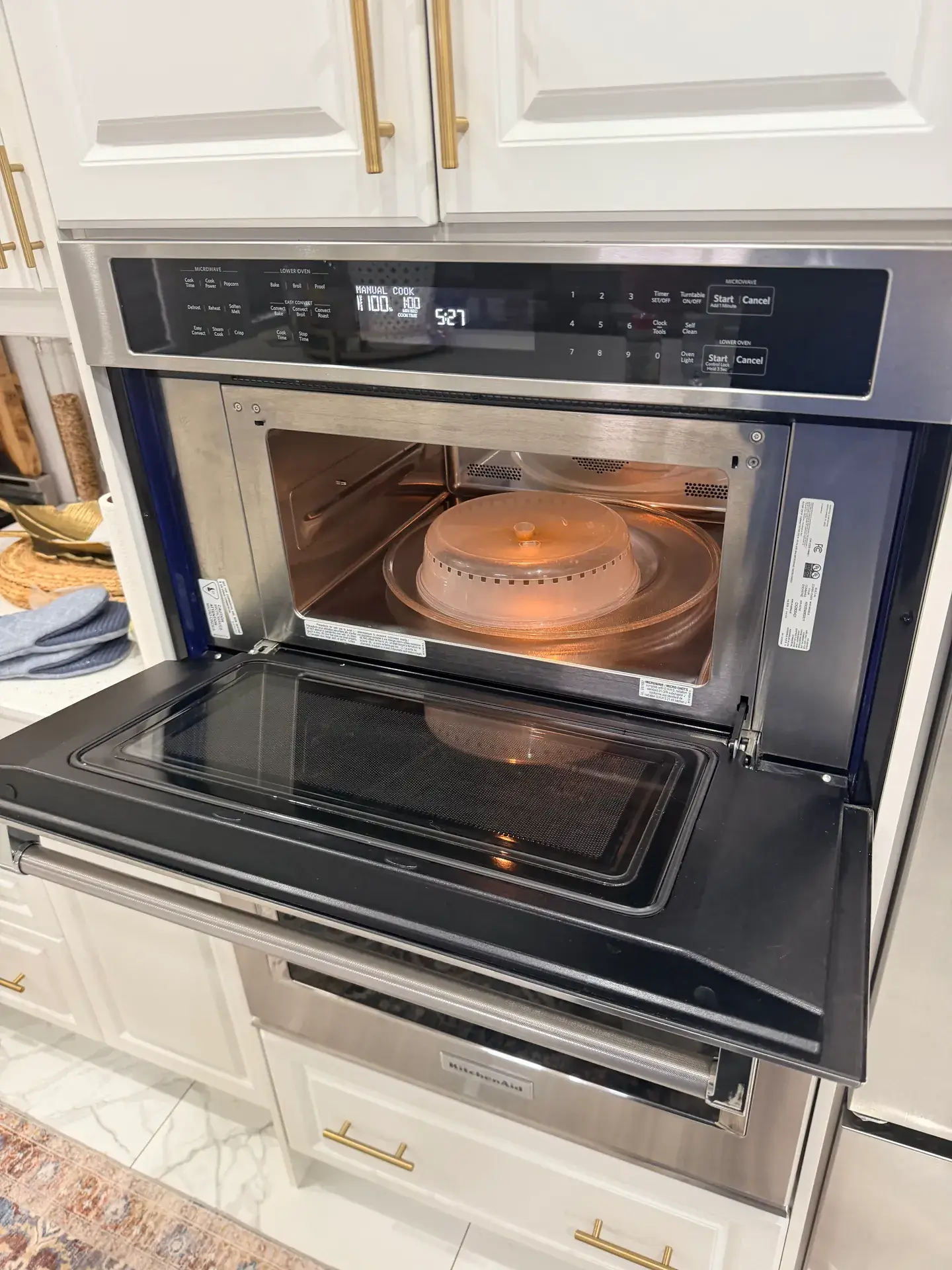
Demo mode is the state a microwave sits in on a store shelf: the display works, the timer counts, nothing heats. It shows up on a floor-model purchase, or after someone poked through the setup menu. Stop/Reset will not clear it, because it is not a lock.
Panasonic’s published exit sequence is three steps. First press one of the primary buttons; which one depends on the model, and Panasonic names Micro Power, Power Level, Microwave, Function or Timer/Clock. Then press Start four times. Then press Stop/Reset four times. The DEMO MODE message or the D should leave the display. If it does not, the demo flag is being held by the control board, and a technician can clear it.
The old version of this guide told you to unplug the oven for a minute to exit Demo mode. That does not match Panasonic’s instruction, so it has been corrected.
Built-in Panasonic microwaves: the door lock is a separate thing
Many built-in and combination Panasonic models have a child-safety lock on the door as well as on the keypad. Panasonic’s support page lists the door instruction model by model, and a typical entry reads: “Press [Timer/Clock (Door Open)]. Then press the door release button.” If your door will not open but the keypad responds, you are looking at that lock, not the keypad one. Find your model number on the frame label and follow the matching entry on Panasonic’s page.
Still locked after Stop/Reset? Five things to check
- Timing. The three presses have to land inside 10 seconds. Tap, tap, tap, then wait for the display to change.
- A stuck or dirty pad. Grease or a sticky spill under the membrane can hold a pad down, which the board reads as a key being pressed and may block the unlock. Wipe the panel with a barely damp cloth, with the door open so nothing starts, and try again.
- It is Demo mode. Look again for DEMO MODE or a D. It is the most common reason “unlocking” seems to fail.
- The clock is not set. After a power-cycle, set the time of day first, then test a pad.
- It is the door lock, not the keypad lock. On built-in models the door has its own lock with its own release.
Cleared the lock, power-cycled, and the panel still will not take a command? That is the signature of a failed membrane keypad or control board, not a setting you can reset. Same-day microwave service across the GTA, York Region and Simcoe County, from our Bradford and Barrie locations.
When “locked” means a broken control panel
A lock you cannot clear, a panel where some pads work and others are dead, a lock that re-arms itself the moment you remove it: those are hardware symptoms. The usual culprits sit behind the inner panel.
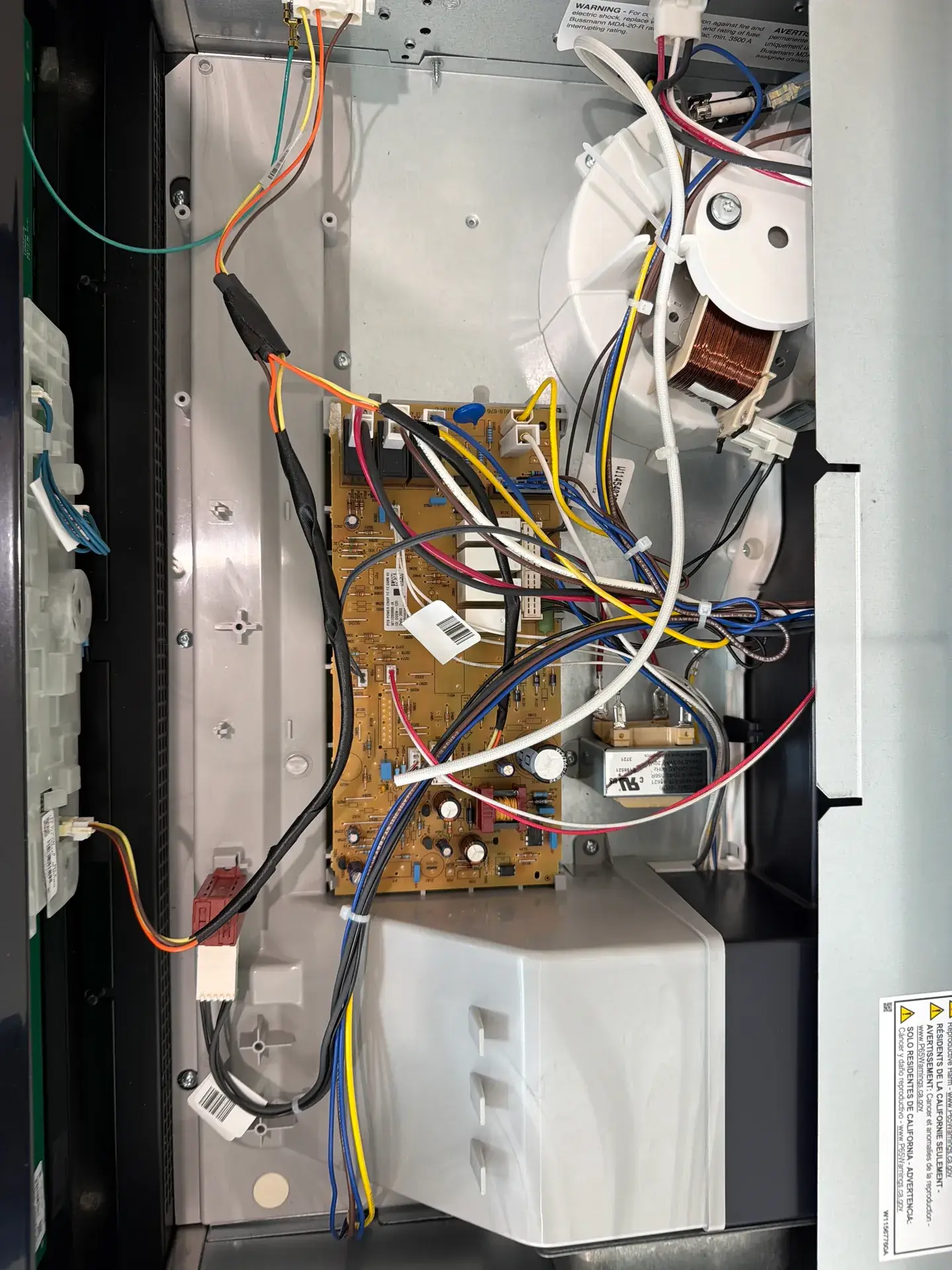
- Failed membrane keypad. The thin printed circuit behind the buttons cracks or corrodes with age and steam, so presses stop registering, or register as the wrong command. It is a replaceable part.
- Control board fault. The board that reads the keypad and drives the display can fail and freeze the panel. On Inverter models an H97 or H98 on the display is an error code, not a lock. Third-party guides describe these as inverter-related; Panasonic itself publishes no per-code meaning and says any error code means the oven needs a service centre.
- Door-switch interlock. If the oven thinks the door is open it refuses every cook command, which looks like a lock. This is a safety system and should only be serviced by a technician, never bypassed.
A microwave is one of the few appliances where opening the case yourself is genuinely dangerous. The high-voltage capacitor can hold a dangerous charge long after the plug is out. Diagnosing a dead panel or a door interlock is a job for a technician, not a screwdriver.
What a service visit costs, honestly
The service call is $89, and it is waived when you approve the repair. Most microwave repairs close in one visit, because the technician carries the common parts on the van. Every repair carries a written 90-day parts-and-labour warranty. We do not publish a flat price for a keypad or control-board replacement here, because it depends on the model and the part, and a made-up range would be worse than no number. You get the real one, in writing, before any work starts.
If the microwave is new, check Panasonic’s warranty first: Panasonic Canada’s support line is 1-800-561-5505, Monday to Friday, 9 to 5 Eastern, and the warranty and repair information page is on their support site. A control fault on a unit still under manufacturer warranty is Panasonic’s to fix.
Keeping child lock from switching on by accident
Because three presses of Start are all it takes to set the lock, accidental locks are common in homes with small children and in tight kitchens where the panel gets brushed. A few habits stop the repeat call:
- Wipe the panel with the door open, so pressure from the cloth cannot start anything.
- If small children are around, leave child lock on deliberately. That is what it is for. Clearing it takes three taps when you cook.
- Keep the model number from the frame label in your phone. Panasonic’s support pages are organised by it, and so is our booking.
Microwave still locked, or showing an error? Our technicians handle locked panels, dead keypads and error codes on Panasonic and every other major brand. Book same-day microwave repair across the GTA, or see the Panasonic repair page. Unlocked but not heating, or not turning on at all? Those are separate faults we diagnose on the same visit.
Panasonic microwave lock: quick answers
How do I unlock my Panasonic microwave?
Press Stop/Reset three times within 10 seconds. The LOCK indicator leaves the display and the time of day comes back. If nothing changes, unplug the unit for a minute, set the clock, and repeat the three taps.
How do I unlock a Panasonic Genius or Genius Sensor microwave?
The same way: Stop/Reset three times within 10 seconds. Genius, Genius Prestige, Genius Sensor and Inverter models share the instruction. On a flat touch panel, press firmly and deliberately.
How do I unlock “The Genius Sensor 1100W”?
That door label is Panasonic’s 1.3 cu ft Genius Sensor microwave, model NN-SD65LS. Stop/Reset three times within 10 seconds clears its child lock like any other Panasonic.
Why did my Panasonic microwave lock itself?
It almost certainly did not. Pressing Start three times in succession turns child lock on, so the usual cause is an accidental triple press: a child at the panel, or a cloth wiped across it.
What does LOCK on the display mean?
Child lock is on. The LOCK symbol or word appears and the time of day disappears; every pad except Stop/Reset is ignored until you clear it. DEMO MODE or a D is a different setting with a different fix.
How do I turn off Demo mode on a Panasonic microwave?
Press a primary button (Micro Power, Power Level, Microwave, Function or Timer/Clock, depending on the model), then Start four times, then Stop/Reset four times. Unplugging alone does not reliably clear it.
My Panasonic microwave will not unlock at all. What now?
Check the display for DEMO MODE or a D first. Make sure the three Stop/Reset presses land within 10 seconds. Wipe the panel in case a pad is stuck. Power-cycle for a minute and retry. If it still will not clear, or no pad responds, the keypad or control board has likely failed and needs a technician.
Is it safe to keep using a microwave that will not unlock?
If it is only child-locked, yes; the oven is not running. If the panel is dead because of a hardware fault, stop using it and have it checked. Never open the case yourself: the high-voltage capacitor can hold a dangerous charge after unplugging.
Does unplugging a Panasonic microwave reset the child lock?
Unplugging clears a momentary glitch and resets the clock. The lock itself is meant to be cleared with three presses of Stop/Reset. Use the power-cycle as a backup when the taps do not take.
What do H97 and H98 mean on a Panasonic microwave?
They are error codes, not locks. Panasonic’s troubleshooting page does not publish per-code meanings; it says error codes are self-diagnostic and the oven needs a service centre. Third-party guides describe H97 and H98 as inverter-related. Either way it is not a DIY fix.
When should I call a technician for a locked Panasonic microwave?
When the lock will not clear with Stop/Reset and a power-cycle, when individual pads are dead, when the lock re-arms instantly, or when the display shows an H-code. Those are control-panel faults, not settings. Same-day service across the GTA, York Region and Simcoe County: 647-834-4646.
Need a microwave technician in the GTA today?
Same-day microwave service across Toronto, York Region and Simcoe County from our Bradford and Barrie locations. Locked panels, dead keypads and error codes diagnosed safely, with a written 90-day parts-and-labour warranty on every repair. The $89 service call is waived when you approve the repair.